Device monitoring & offline playback
See online status, heartbeats and device logs for every player. Content is cached on the device, so screens keep playing if the internet drops.
Cloud digital signage software
Create, schedule and publish content across one screen or thousands of screens from a single cloud-based dashboard.
No credit card · 14-day free trial · Cancel anytime
Now playing · Gyms
Morning Mobility · 30 min
Showing Gyms & Fitness.
Offline
Screens keep playing without internet
14 days
Free trial · no credit card
4
Player platforms live today
₹599
Per month for up to 5 screens
Built for every screen, in every venue
The Pixelplay CMS
One dashboard for every screen you run — check status, manage playlists, schedule content and publish remotely across all your locations. Tour the digital signage CMS
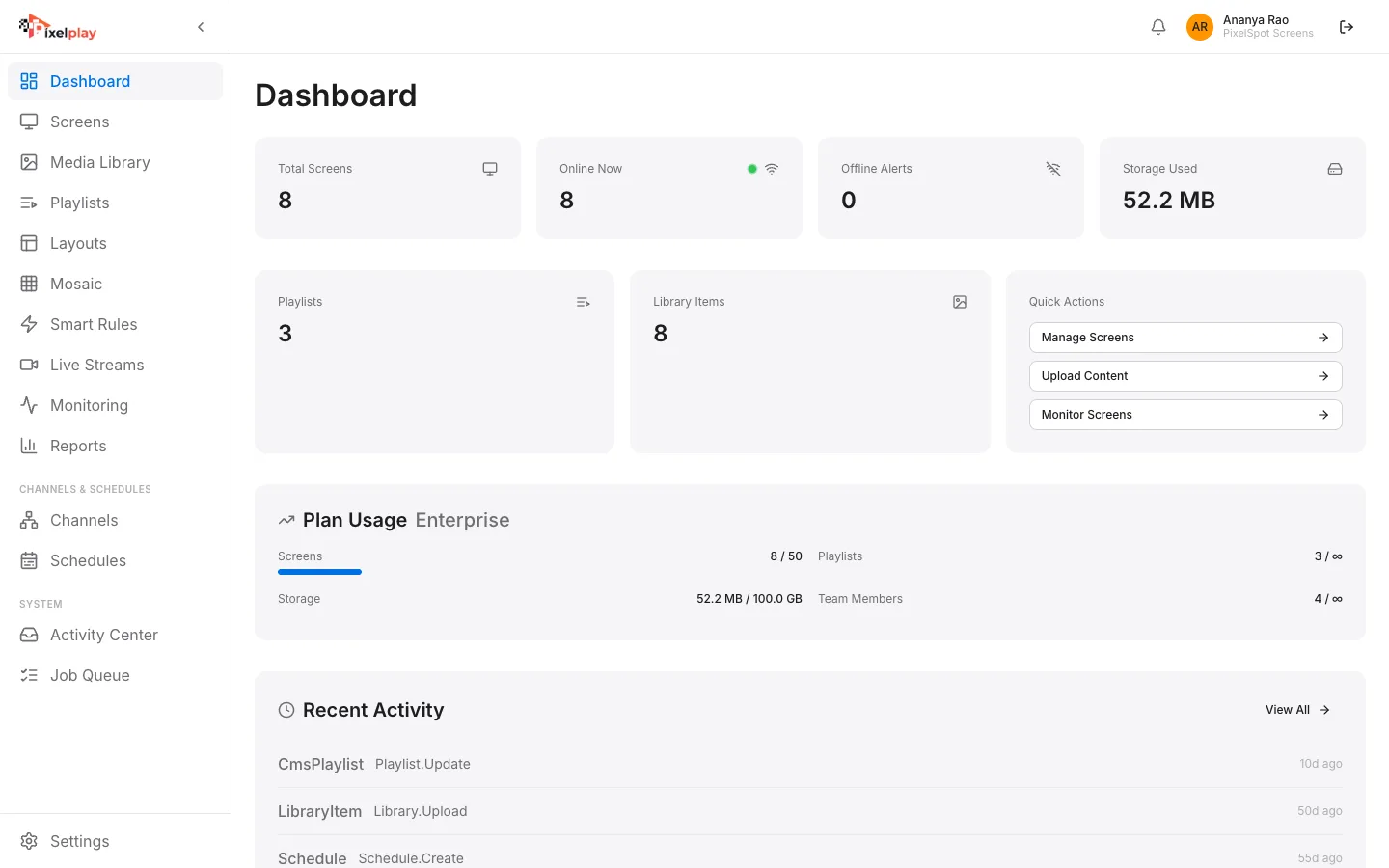
Total screens, who is online, offline alerts, storage and plan usage — the moment you sign in.
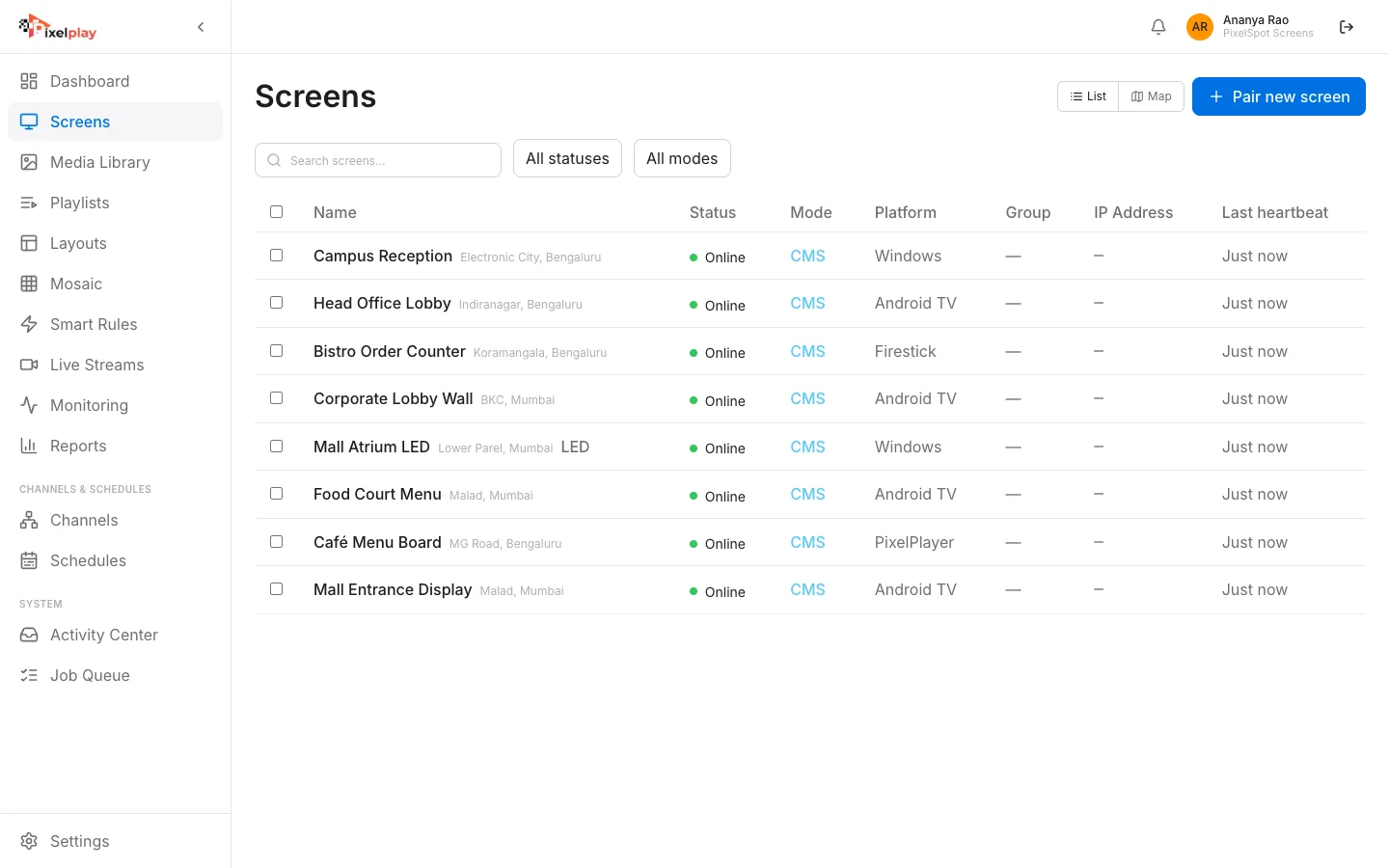
Live status, platform and last heartbeat for each screen. Switch to map view to see all your locations, and pair a new screen in seconds.
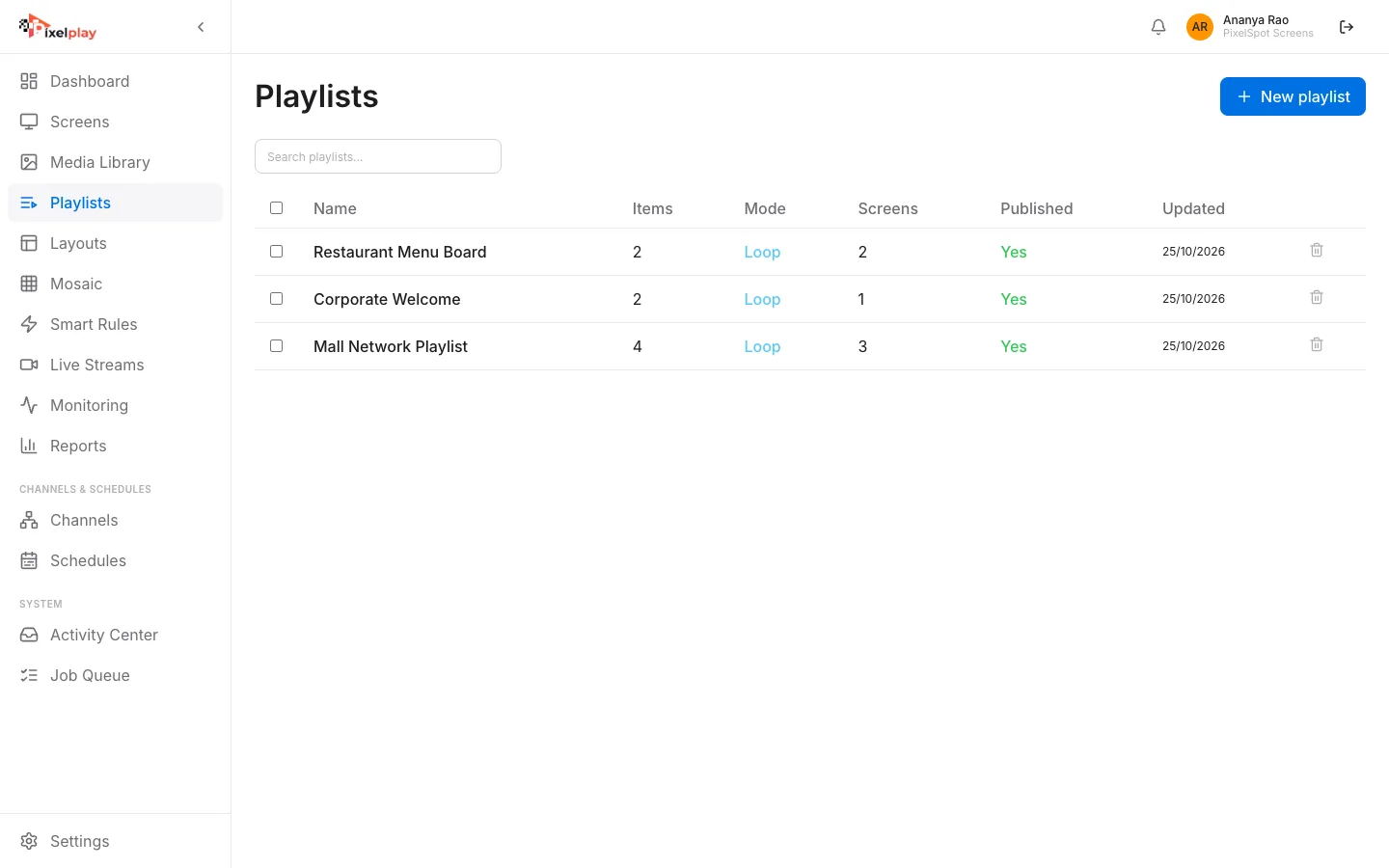
Build a playlist, assign it to as many screens as you like and see where it is published.
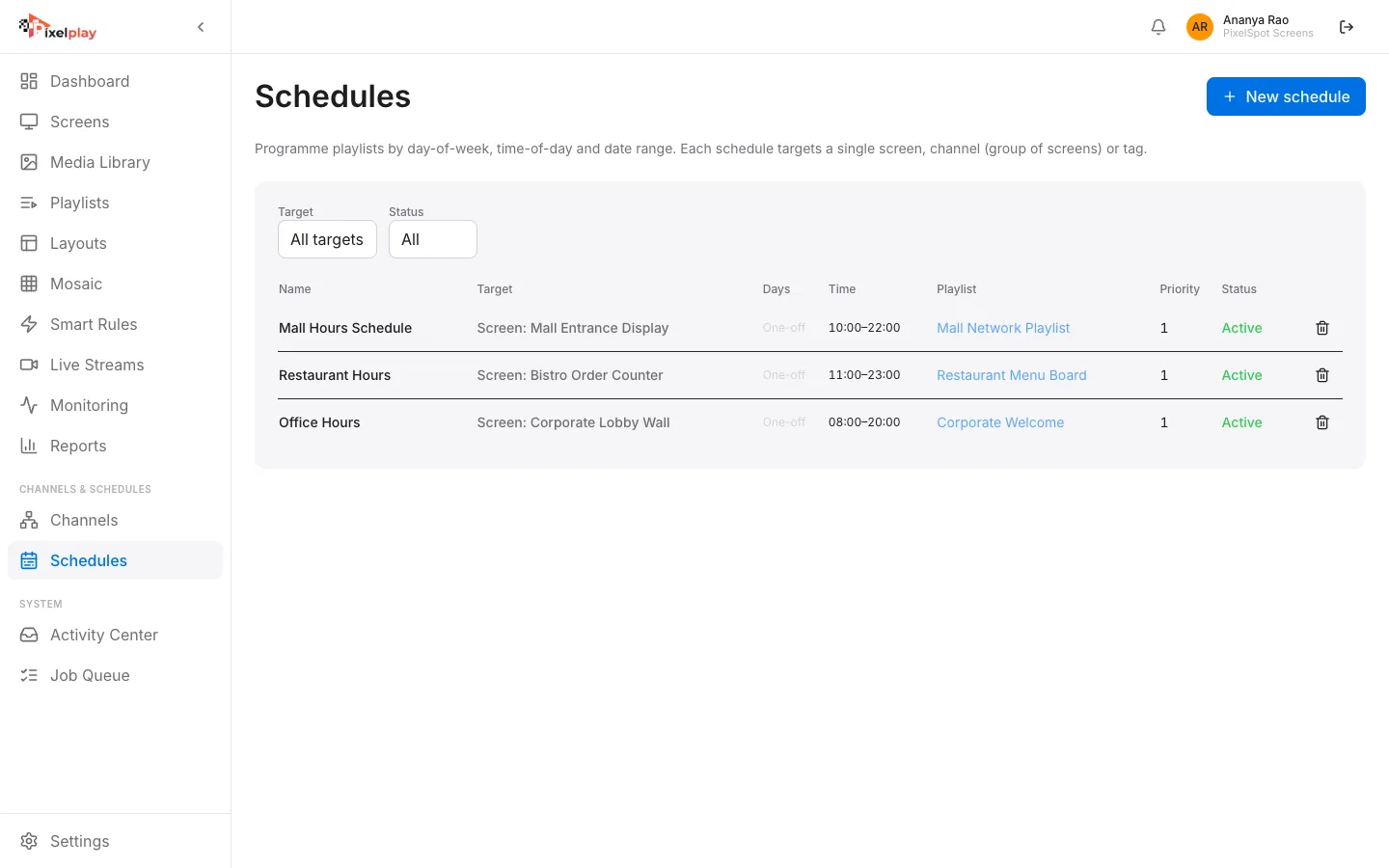
Schedule playlists by day of week, time of day and date range — for one screen, a group of screens or a tag.
For zero-paper factory floors
Pixelplay replaces printed work instructions, clipboards and notice boards with screens at every workstation and aisle. Each screen shows the current revision and the live numbers, and the whole system can run on your own server, inside your plant network.
Sample screen. The instruction is your PDF or PowerPoint, the numbers are your Excel sheet or dashboard.
A zero-paper policy fails at the workstation, where the operator still needs the instruction and the number. These are the six kinds of paper plants replace first. More on paperless factory floor displays
On paper today
On the screen
How it gets there
Printed SOPs and work instructions in binders
The current revision, at the station
Upload the PDF or PowerPoint and each page becomes a slide. Swap the new revision into the playlist once and every station playing it updates. No old copy is left on the floor.
Hourly production boards filled in by hand
Target and actual, updated from your data
Value boards show figures from your Excel sheet or a linked Google Sheet, and on Professional and Enterprise your own system can update them through the API.
Notice boards, circulars and shift rosters
Notices that follow the shift
Schedule content by time of day, day of week and date range, for one screen, a line or the whole plant.
Quality alerts taped to the machine
An alert on the stations that need it
Group screens by line, cell or area and publish to that group. Take the alert down the same way when the lot is cleared.
Safety posters and evacuation sheets
Safety content, and one-click emergency takeover
Run safety messages in the normal rotation. In an emergency, push one instruction to every screen, then hand back to the schedule.
Signed logbooks of what was displayed and changed
A record kept by the system
The audit trail shows who changed what. Proof-of-play shows what each screen displayed and when, exportable to Excel or PDF.
Change the numbers to match one of your plants. The estimate counts printing and the supervisor time spent handing out new instructions and collecting old ones. It does not count audit findings or mistakes from outdated copies.
Estimated cost of paper each year
₹2,23,920
With screens, a change is one playlist update in the dashboard, and every station shows it within seconds. Assumes 300 working days a year.
If one station goes blank, someone prints the instruction again and the policy is over. The player is built so that does not happen.
See every compatible deviceWork instructions and production numbers are not something most plants want on someone else's cloud. The on-premise edition is the same product, installed on a server you own and reached only from your network.
A 15-day trial licence for your own server. Server requirements and details
Not ready to run a server? The cloud edition has the same screens and the same dashboard.
Use cases
Whatever your screens are for, you manage them the same way.
Replace printed work instructions, hourly boards and notice boards with screens at each workstation and aisle.
Work instructions, hourly output and safety notices on screens at every workstation and aisle, served from your own server or from our cloud.
Now playing · Factories
WI-0412 Rev D · Line 3
Change prices and specials across every outlet at once, with breakfast, lunch and dinner menus on a schedule.
Digital menu boards, daily specials and queue busters that update across every outlet in seconds.
Now playing · Restaurants
Lunch Specials · ₹249 thali
Run the same promotion in every store, or tailor it per location — launch and end campaigns on time, automatically.
Storefront promos, directory content and DOOH ad slots — scheduled across every store.
Now playing · Retail
Flash Sale · 40% off Footwear
Put KPI tables, slides, internal news and visitor welcomes on office and lobby screens.
Internal comms, KPI tables, slides and lobby branding — managed centrally.
Now playing · Corporate
Town Hall · Q1 Recap
Timetables, event notices and campus announcements — with an emergency override when every screen needs the same message.
Timetables, event boards and emergency alerts for every campus.
Now playing · Education
Today: Robotics Demo @ 4 PM
Society notices, maintenance updates and community events in lobbies and lift areas, updated from your phone or laptop.
Explore apartment displaysApartment displays
Apartment displays
Sell spare screen time on the Pixelplay marketplace, approve bookings and share proof-of-play with advertisers.
Terminal advertising, information and wayfinding content that keeps playing through network drops.
Now playing · Airports
Terminal 2 · Duty-free offers
Fast setup
Three simple steps on the cloud plan. On-premise adds one before them: install the server, about 30 minutes.
Step 01
Side-load on Android TV / Fire TV, or just open the web player in any browser.
Step 02
Upload your media, pick a layout template and schedule it by time of day.
Step 03
Enter the 6-character pairing code shown on the screen, assign your playlist — your screen is live.
Core features
The tools you use every day to keep content fresh and screens running — all in one place.
Update what is playing from anywhere. Play, pause, adjust volume and brightness, force a sync, reboot or power off a screen — no site visit needed.
More on remote screen control & content updatesGroup screens by location, brand or purpose, then assign playlists to a whole group or many screens in one action.
Mix images, video and PowerPoint or PDF slides in playlists, and add weather or news widgets in layouts. Schedule by day, time and date range.
See online status, heartbeats and device logs for every player. Content is cached on the device, so screens keep playing if the internet drops.
Native player for Android TV, Google TV and Fire TV, and a web player for any modern browser, including on Windows, Linux and Raspberry Pi.
More on media players & device compatibilityAdmin, editor and viewer roles, proof-of-play logs and report exports to Excel or PDF. Live weather and news feeds, and sign-in with Google or LinkedIn.
Hardware & setup
You don't need special signage displays. Use the TVs and monitors you already have — here is exactly what each screen needs.
Install the Pixelplay player app directly on the TV. No extra hardware needed.
Android 7.0+ · Fire OS 6+
Plug in a media player — an Android TV box or Fire TV Stick — or a Windows, Linux or Raspberry Pi computer running the web player.
Needs one media player per screen
Open the web player at play.pixelspot.in in Chrome, Edge, Firefox or Safari, and run the browser full screen or in kiosk mode.
Current Chrome, Edge, Firefox or Safari
Supported players
Native APK, auto-update
LiveNative APK, side-load
LiveNot supported yet
UpcomingChrome, Edge, Firefox
LiveNot supported yet
UpcomingBeta, on request
UpcomingNot supported yet
UpcomingBeta, on request
UpcomingWeb player in Chromium
LiveNot supported yet
UpcomingIn development
UpcomingBeta, on request
UpcomingNot supported yet
UpcomingNot supported yet
UpcomingAny TV or monitor that isn't running Android TV, Fire OS or a Tizen / webOS signage system needs an HDMI media player — a Fire TV Stick, Android TV box, Raspberry Pi or small PC — to run PixelSpot. That includes most consumer Samsung and LG TVs.
Need screens? PixelSpot also sells commercial displays and LED screens — shop hardware at pixelspot.in.
Native apps for Samsung Tizen, LG webOS, iOS / iPadOS, Apple TV and Roku are coming soon. See every compatible device or follow the player install guide.
Explore every module
Zone layouts, value boards, live view, offline playback and proof-of-play reports — all in the same platform, so you never stitch together five tools.
Pair, group and push changes to every display at once. Set volume, brightness and rotation from the dashboard.
Sequence images, video, slides and layouts. Add them from the library, daypart with schedules, assign to screens.
Plan a whole week in minutes. Recurring slots, date ranges, time windows and priorities, in each screen's time zone.
Split any screen into zones — playlist, ticker, clock, weather, news, value-board table — each running independently. Mosaic video walls on Enterprise.
Every play logged per screen. Proof-of-play reports exported to Excel or PDF, and an API on Professional and Enterprise.
Switch content when the weather, the time or data your systems send through a webhook changes (Enterprise).
Invite admins, editors and viewers so each person sees only what they should. Key changes are logged in an audit trail.
Each workspace has its own screens, users, plan and GST invoices, kept separate from every other workspace.
Restart the loop or the player app, force a sync, change volume and brightness, or black out a screen from the cloud.
Central media store for images, video, HTML files and presentations, with storage quotas per plan.
See what any screen is showing right now, from your browser. Included on Professional and Enterprise.
Push an urgent message to every screen in one click, then hand back to the normal schedule. Players update themselves automatically.
Plans
Every paid plan includes layouts, value boards, channels and schedules. Start with a 14-day free trial.
Screen Owner · CMS
Self-managed digital signage — playlists, layouts, value boards, schedules and live view.
From ₹599/mo + 18% GST · 14-day free trial
Plans & pricing
Three plans, monthly or yearly billing, and add-ons for extra screens, live view and storage. Professional and Enterprise include 1 live-view streamer; on Standard, live view is ₹299/streamer/month + 18% GST.
Tailored for Gyms
Class schedules, heart-rate zones, member shout-outs and PR boards — looking sharp on every screen in your studio.
Digital signage software lets you create, schedule and publish content — images, videos, menus, notices and dashboards — to screens from one place. Pixelplay runs in the cloud or on your own server: you manage everything in a web browser, and a free player app on each screen plays the content.
E-signage (electronic signage) is another name for digital signage: TVs and displays that show content managed from software instead of printed signs. Pixelplay is e-signage software for one screen or thousands.
No. Use the TVs and monitors you already have. TVs running Android TV or Google TV run the player directly; any other screen needs a small HDMI media player such as a Fire TV Stick or Android TV box, or a computer running the web player.
Start with a 14-day free trial, no credit card required. Plans start at ₹599 per month + 18% GST for up to 5 screens.
One digital signage system for factory floor screens, digital menu boards, retail displays, corporate dashboards, school and apartment notice boards, LED video walls and advertising networks — all managed from the same dashboard.
Yes. Content is downloaded and cached on each player, so screens keep playing during an internet outage and pick up new content when the connection returns.
A zero-paper factory floor is a shop floor with no printed work instructions, clipboards, logbooks or notice boards. The information operators need is shown on screens at each workstation and aisle instead, so there is one current version and nothing to reprint, file or withdraw.
Yes. The on-premise edition installs on one Linux server in your plant and screens reach it over your local network. No inbound internet access is needed. Without internet everything works except weather, news tickers, Google Slides and Sheets links and online map backgrounds.
On the Enterprise plan, yes: shop-floor forms let operators record checks on the station screen, and submissions appear in the CMS. On other plans Pixelplay is display only, and data stays in your MES, ERP or Excel sheet.
Ready when you are
Whether you operate 3 screens or 3,000 screens, Pixelplay gives you control, monetisation and measurable outcomes — without the integration tax.